Official comment

Using the following method allows you to automatically resend an email message to a Contact that has not opened the previous email message within a certain time frame.
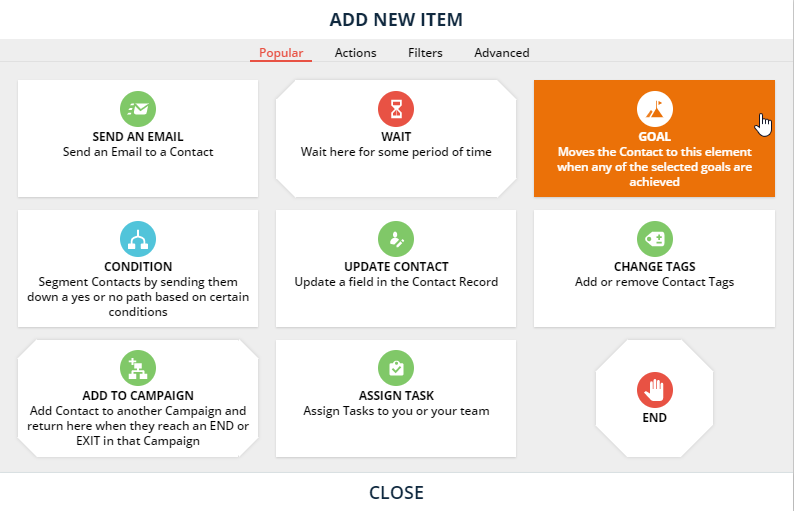
1. Add a Goal below the desired "Send an Email" Element in your Campaign:
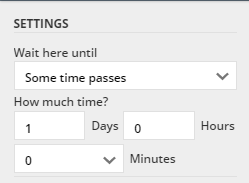
2. For this example, we'll re-send an email to contacts that do not open the previous email within one day of receiving it. This means we'll have to adjust the "Wait" Element directly above the Goal to send Contacts down an alternate path if they do not achieve said Goal within one day:
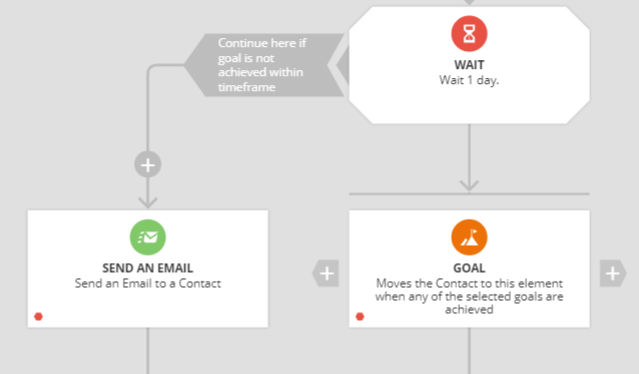
3. An alternate path is created for those Contacts that do not achieve the Goal in the desired time frame. We'll use the "What happens next?" space that was added to re-send the initial email message:
4. Define the Goal. In this case, the Goal is to have the contact open the email or click any link in the previous email. Setup the Goal like this:
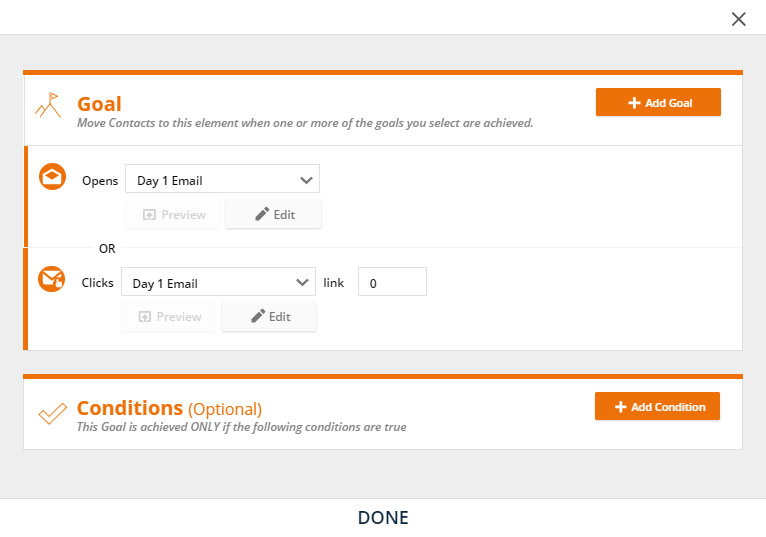
Note: We include both the "Opens Email" and "Clicks an Email link" in the Goal because it is possible for a Contact to open an email without the system registering an open due to varying browser/email client/device capabilities, but email link clicks will always register.
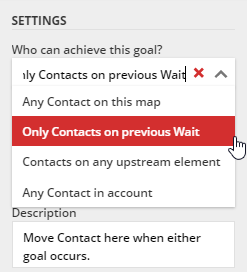
5. Tip: When a Goal is achieved contacts will get moved to that Goal. To prevent Contacts from "jumping" all over the Campaign map whenever they open/click an email, adjust the Goal to only be achievable by Contacts on the "Wait" directly above the Goal.
Note: If you would like to see how to accomplish this within a Sequence, click here to view our Q&A for it!

