Official comment

In late October of 2017, Google Chrome released a significant change to the way sites without HTTPS encryption are displayed in the search bar. If your visitor is using incognito mode, or you have any kind of input form on the page, Chrome will display the "Not secure" message:
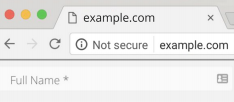
In order to avoid this, add a SSL security certificate to your website. Check with your webhost about adding one. Depending on your use case, a SSL certificate may be under $20 per year.
For Pages you host using any of the Ontraport domains, or for your custom domain that is pointed toward our name servers for landing pages, we will auto-redirect to the SSL version of the page as of June 20, 2019. You can disable this for PURLs by unchecking the box "Don't force HTTPS ..." on the Publish dialog.
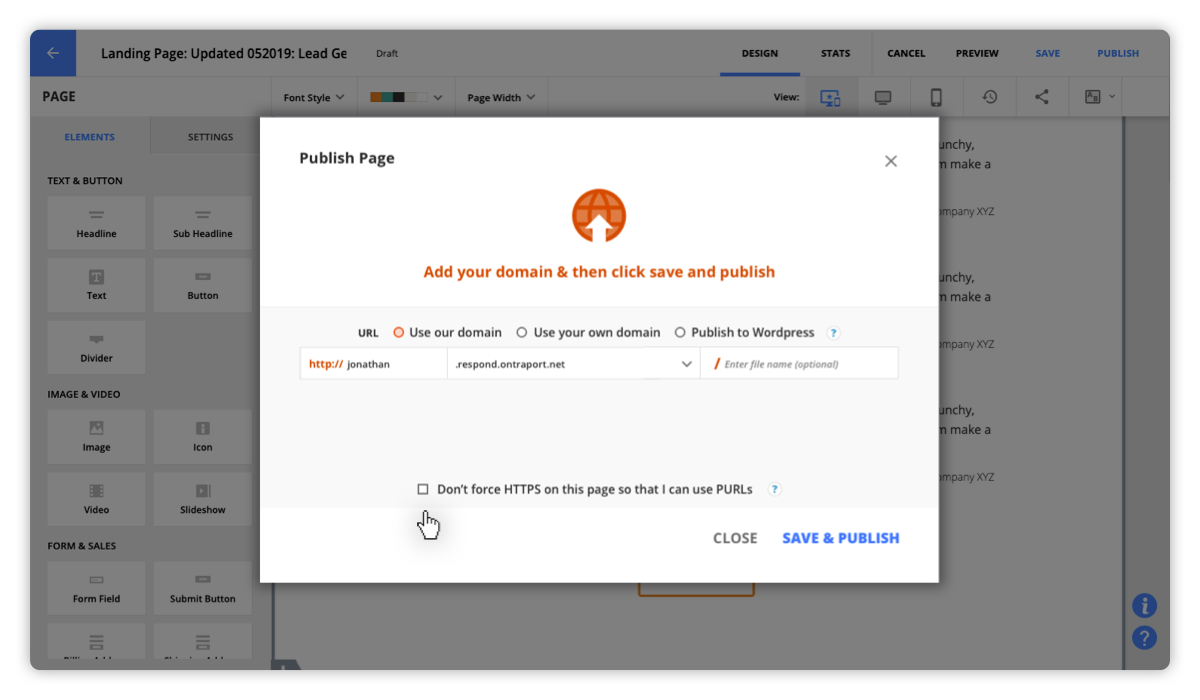
To make previously published pages redirect to the SSL version, make sure it isn't used as a PURL (such as a thank you page for a form), and open it for editing. Click the Publish button and uncheck the "Don't force HTTPS ..." checkbox. Note that many of our domains used previously did force the HTTPS version, as do any pages with order forms on them. You only need to open the page again if it does not redirect automatically.
Ontraport hosted WordPress sites do not have SSL security certificates available yet (we are working on a solution for those sites). If you are using order forms on those sites we recommend you move the site to a third party host and purchase a SSL certificate.


