Official comment

You can! You can build a new Campaign to trigger when the product is purchased but only if they have purchased the product more than once. You first need to build a new Campaign and then Add a new Trigger. In the Trigger settings, click +Add Trigger. In the dropdown, scroll down to "Sales" and select "Purchases Product" and then select your product from the dropdown or select "Any Product" if you want it triggering all products.
Then click "+Add Condition" and select "Has ordered a certain amount of the Product." Then set the condition to "Greater than or equal to 2" so the rule will run if they purchase 2 or more. You can also make a rule to fire "Greater than 1" so it only fires if they purchase two or more.
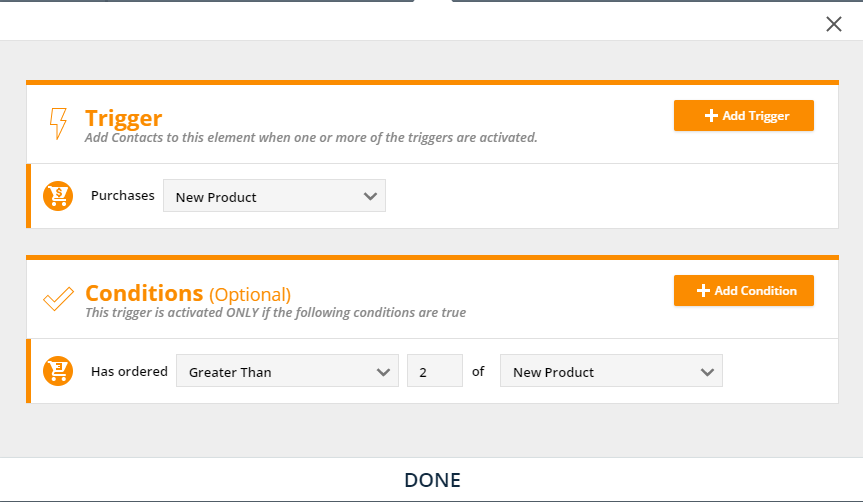
Then simply repeat the process for each product you want the Campaign to run for and include any elements under it you want to trigger for the contacts!
These options are also available in our Legacy Form Rules options. They need to be activated in Administration>Legacy Features if you wish to use these options instead.
Feel free to contact our Support if you have any trouble or questions in setting this up!

