Official comment

The "Added to Campaign" Start element is on all Campaign Maps by default. You cannot delete it.
Even if you don't intend to manually add someone to the campaign, or use a form or Rule to add someone later, your situation could change. You can future-proof your Campaign by adding a couple of elements to the Start element path.
We recommend you add a Wait element, set to the default of "Wait forever" and then put an End element under the wait.
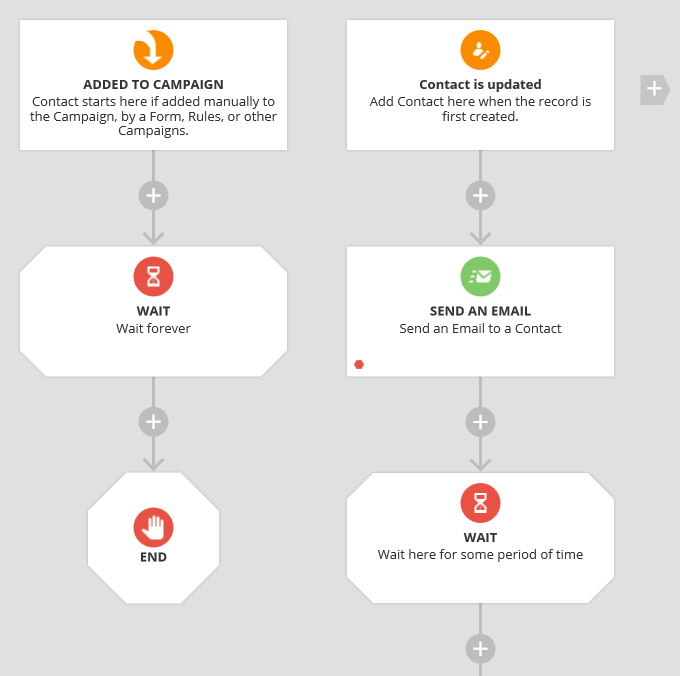
This provides two benefits. In Performance Mode you can see if any Contacts are on that Wait element and troubleshoot why it is happening. And, you can later add a new Element, such as a Goto leading to the first Email element in the main Campaign path if you need to add Contacts manually.


Comment actions