
Official comment

There is an easier way ... navigate to the Messages collection and add the following columns to the display if they are not already shown: Sent, Opened, Clicked, Not Opened, and Not Clicked.
When those columns populate with numbers, you can click on the numbers to open an ad hoc Group of contacts who make up that statistic. You can see all contacts sent the email by clicking on the Sent number, all who opened the email by clicking on Opened, etc.
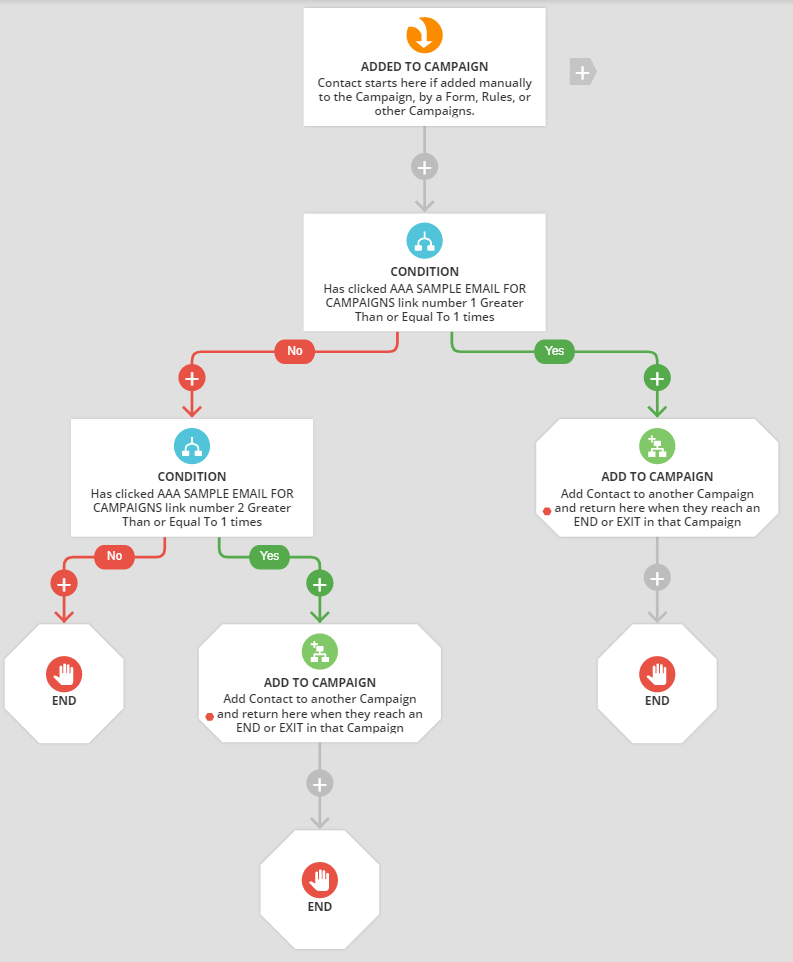
The Clicked group will include anyone who clicked on any of the links you added to your email. If you need to take this group and sort them further, use a Campaign with Conditions for "Clicked Link 1", "Clicked Link 2" as shown below, and use a Group Action to add that group to the Campaign..


Comment actions