
Official comment

The pin icon above the search box at the far right allows you to "pin" an item so you can jump back to it later. It can serve as a shortcut to something you are working on, and as a reminder that an item still needs more work.
As an example, if I'm editing an ONTRApage and need to exit to work on something else, I can pin it using the pin icon in the upper right. When the page is pinned the pin icon will change color indicating it is pinned.
I can click the main Pin icon next to my profile icon at the top right from anywhere in the app that it is displayed to show the pages I have pinned. In this example I have the main "Contact List" page, a specific Contact, and a Landing Page pinned: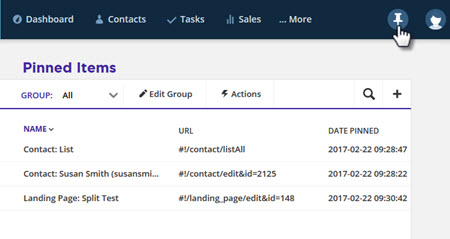


Comment actions