Official comment

You can be notified of incoming SMS messages via email or SMS.
EMAIL NOTIFICATIONS
Create an email message that includes the [Last Inbound SMS] merge field. You may also wish to include [Email], [Contact ID] or [SMS Number] for reference. Navigate to Contacts > Rules and create a rule that looks like this:
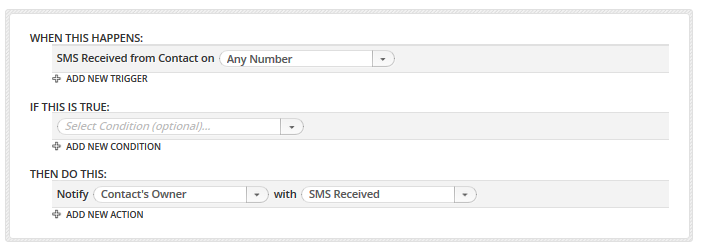
Click Save. You're all set to receive a notification via email when someone replies to your ONTRAPORT SMS message.
TEXT MESSAGE NOTIFICATIONS
Create a SMS message that includes the [Last Inbound SMS] merge field. You may also wish to include [Email], [Contact ID] or [SMS Number] for reference.
Note that ONTRAPORT will automatically split the SMS into two messages if the merge fields cause the SMS to be too large. Each of the message parts are charged to your account at your regular rate, so be careful including too much information in an SMS notfication!
Create a rule that looks like this:
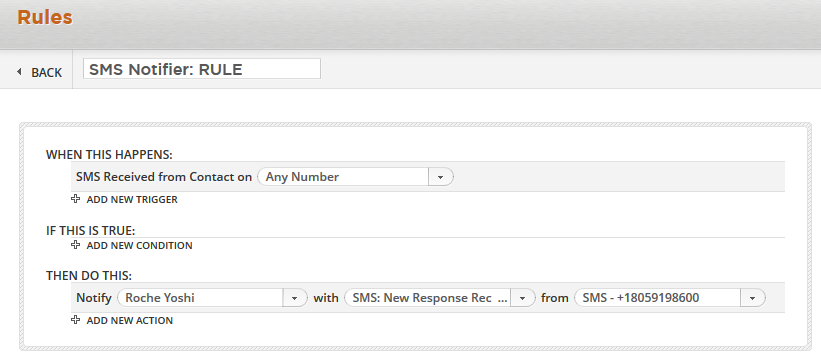
You can add these two functions together in a single Rule by clicking the + Add New Action link and using both "Then Do This" actions.

