
You can hyperlink text, button, or an image to an ONTRAPORT hosted file (aka your downloadable file).
Hyperlink text:
1. Highlight your text, then click the link button.  2. Select ONTRAPORT Hosted File
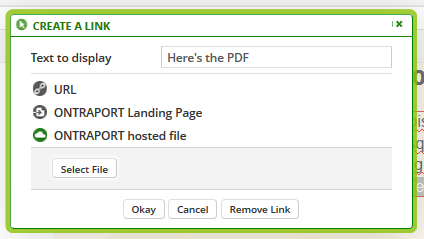
3. Click the "Select File" button and either upload your file or check the box next to the file you'd like to link to.
4. Click the Okay button. Click Save on the block.
Hyperlink a button:
1. Click edit on the button.
2. Click the link icon next to the Link URL
3. Select ONTRAPORT hosted file. Upload your file or check the box next to the file you'd like to link to.
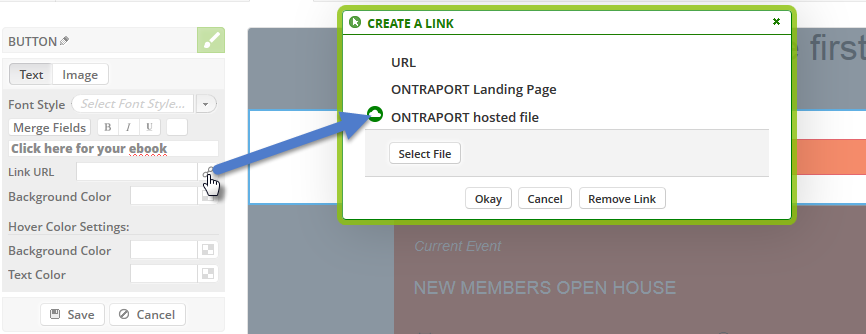 4. Click OK.
5. Click Save on the Block.
Hyperlink an image
1. Click edit on an image.
2. Click the edit link button.
3. Select ONTRAPORT hosted file. Upload your file or check the box next to the file you'd like to link to.
4. Click OK.
5. Click Save on the Block.

