
Official comment

You can add a favicon to a code mode page. Here's an example page: http://acumen.respond.ontraport.net/favicon
Put the favicon into your Image Manager; you can do that by temporarily adding it to the text of the page using the image uploader. Then grab the URL to that image for the code below.
In the Code Mode page put the following in Source on the top line:
<link href="https://i.ontraport.com/83585.1.98eb3983755c75d37545486dd892d6f7.ICO" rel="icon" type="image/png" />
Replace that "https://i.ontraport.com/83585.1.98eb3983755c75d37545486dd892d6f7.ICO" with the actual URL to your uploaded ICO file (unless you really like my sailing chart symbol). Here's how it looks:
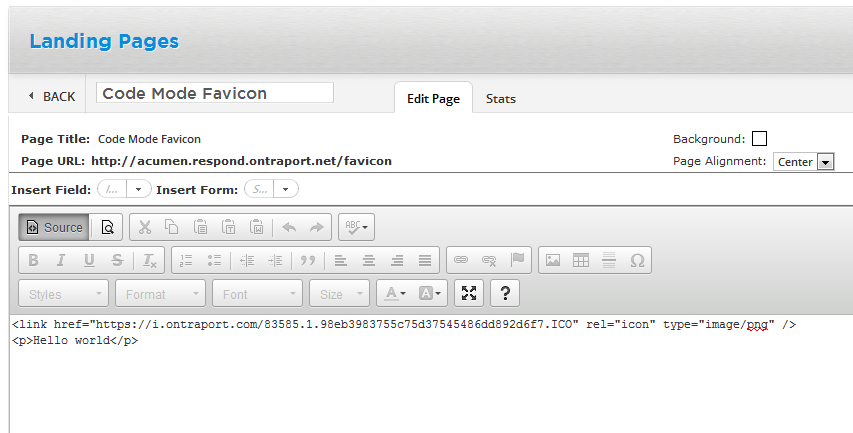
You can then create the rest of the page under that first line.


Comment actions