Official comment

If you update to a new version of PilotPress and experience problems, you can revert to a prior version. The PilotPress settings are stored in the WordPress database so this technique almost always works. However, ONTRAPORT is not responsible for data loss or other problems in the event this does not work.
-
Make sure you have a recent backup of your WordPress site.
- Download the prior version of PilotPress from GitHub:
- Click the Branch: master button and select the version just prior to your current version
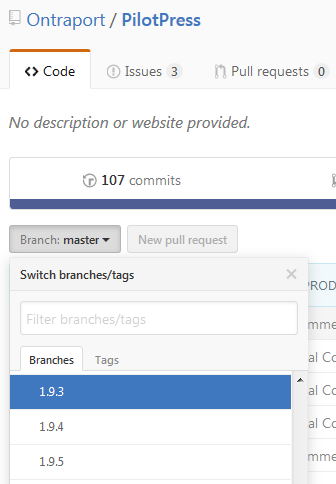
- Click the green Clone or Download button and download the Zip file.
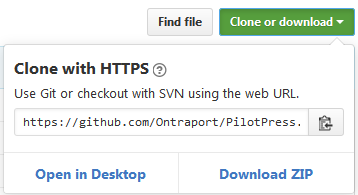
- Click the Branch: master button and select the version just prior to your current version
- In WordPress Admin > Plugins deactivate and then delete the installed PilotPress files
- Click Add New and upload the zip file you just downloaded.
- Click to activate the uploaded version. The settings for your site should load from the database.
- If the problems persist, you may have a conflict introduced by another plugin.
Be certain you have a recent backup should restoring your entire site become necessary.


Comment actions