
Official comment

You can use a legacy Smart Form for this, and publish it using the Javascript code in an HTML block on an ONTRApage.
Legacy Smart Forms do not prefill based on cookie data and will start fresh each time. Create the legacy Smart Form with these settings:
- Width: 450px maximum to keep it suitable for mobile devices
- Remove the border to make it blend into your ONTRApage
- Fields: Name and email at a minimum. Add as many fields as you like.
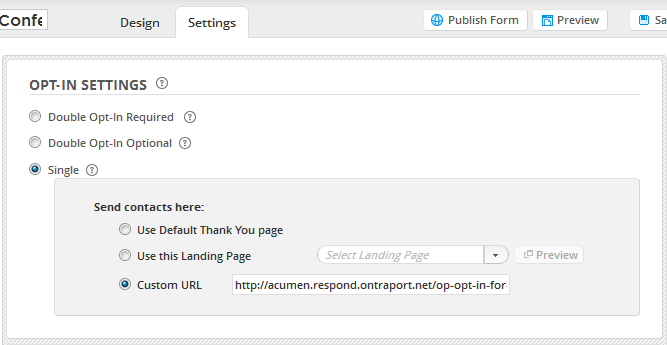
Set the Legacy Smart Form's thank you page to the URL of the ONTRApage and it will submit, refresh, and present the next user with a blank form to fill out.
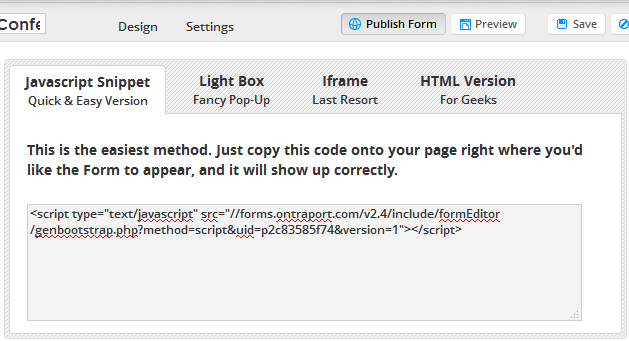
Here is the Javascript snippet on the legacy Smart Form's "Publish Form" page. Copy this code for use in the ONTRApages Custom HTML Block.
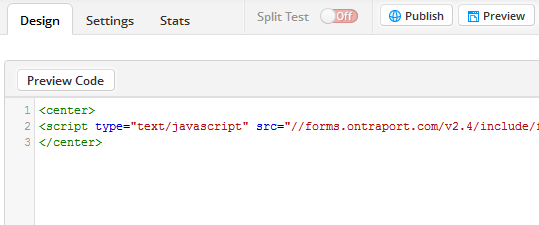
Add the Custom HTML block to your ONTRApage. Edit the Custom HTML block and delete all the sample content. Use center tags to center the Javascript snippet as shown here:
Note that the form will not show in the Custom HTML block in the editor; the Custom HTML block will collapse completely in this case because it has to be rendered on a web page to show up. Publish the ONTRApage and visit the URL to test.
Here is an example: http://acumen.respond.ontraport.net/op-opt-in-for-conferences

