Official comment

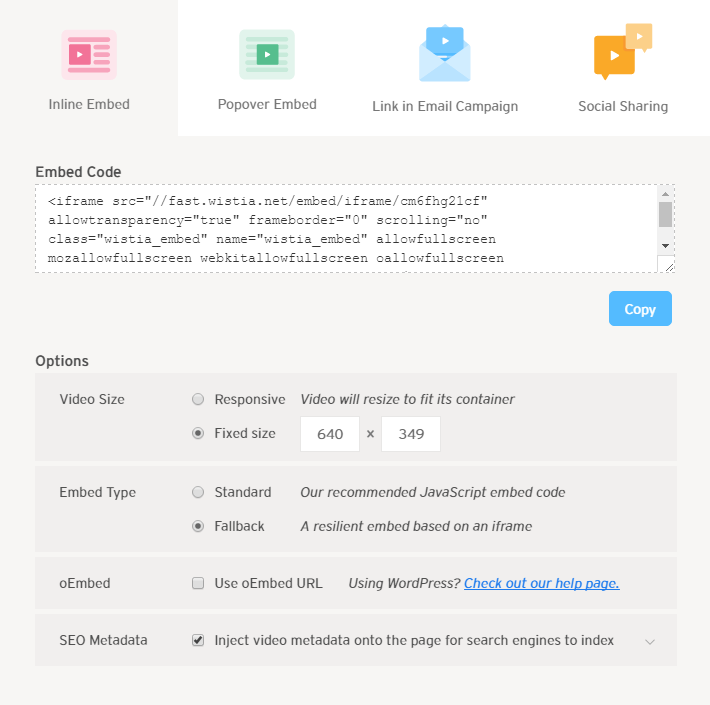
Use the following settings:
- Select the Inline Embed tab for the code.
- Under Options > Video Size, use the fixed size the block uses. All video blocks use a 16:9 aspect ratio, so a fixed size of 640 x 350 will work.
- Under Options > Embed Type choose "Fallback"
- We do not recommend using oEmbed URL under Options > oEmbed
- The Options > SEO Metadata option is not active using the Fallback mode; it can be checked or left unchecked.


Comment actions