


Thank you for your feature request. This is definitely under consideration.
Currently, all of our editors leave the bullet points black, which is an HTML default setting. There is a way to change it if you are creating an Ontraport Page. Insert single column block at the top of the page and drag the "Custom HTML" element into it. Click on it and then click the "<>Edit Code" button.
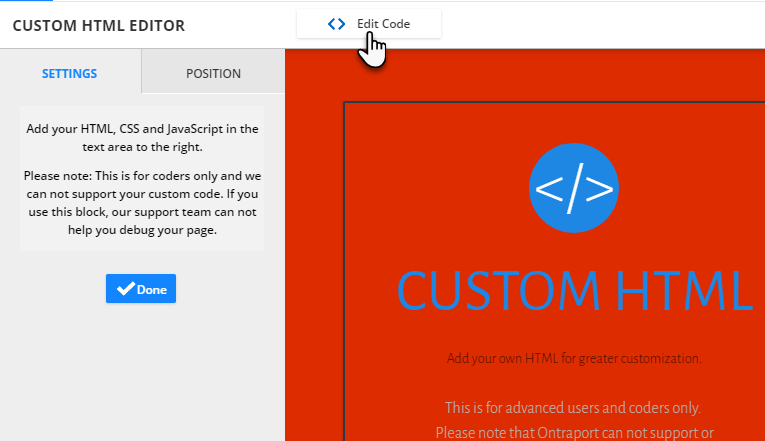
Delete all of the sample code in the block.Then, you can put this code in the block:
<style>
ul {
list-style: none !important; /* Remove default bullets */
}

ul li::before {
content: "\2022"; /* Add content: \2022 is the CSS Code/unicode for a bullet */
color: white; /* Change the color */
font-weight: bold; /* If you want it to be bold */
display: inline-block; /* Needed to add space between the bullet and the text */
width: .9em; /* Also needed for space (tweak if needed) */
margin-left: -1em; /* Also needed for space (tweak if needed) */
}
</style>
Save the block and save and publish the page. The bullet points will now be white.
I know this isn't a perfect solution, so this feature request will certainly remain active and under consideration.


Comment actions