Post
Follow
Visual Custom Object Builder
Posted on behalf of Brendon Evans
It would be great to have a visual Custom Object builder that showed the relationships, and allowed you to build the objects visually, much like you can do with Campaigns.
I see this looking a lot like Campaign Builder with the same "open grid" concept where objects "snap" into place and the whole layout auto organizes based upon how relationship lines are connected between the various objects.
Each relationship type would have their own line type. The 1-Many
"connector" would have some sort of line change towards the ends to indicate which side is the parent and which the child. Child side could have the line divide shorty before attaching to the "child" object.
"connector" would have some sort of line change towards the ends to indicate which side is the parent and which the child. Child side could have the line divide shorty before attaching to the "child" object.
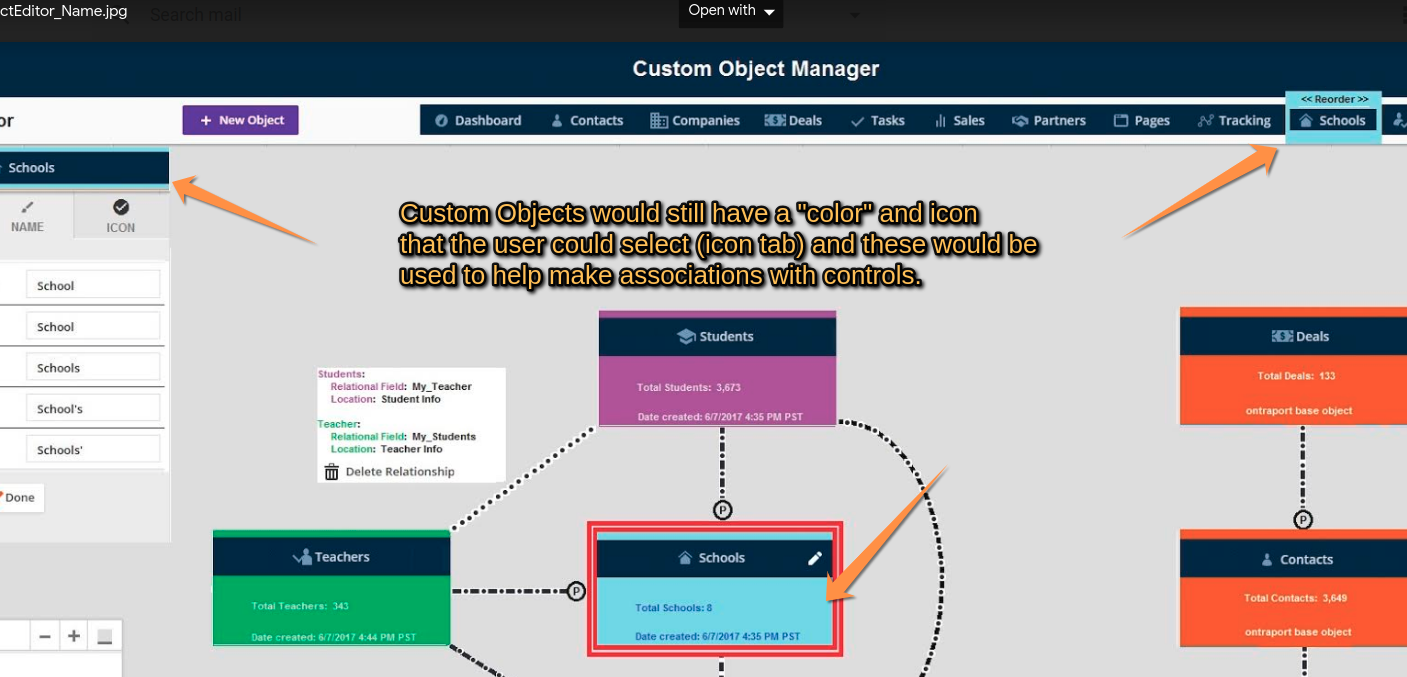
The key would be to have most of the Custom Object "Data" visible from the main canvas so the user can literally see how everything is connected.
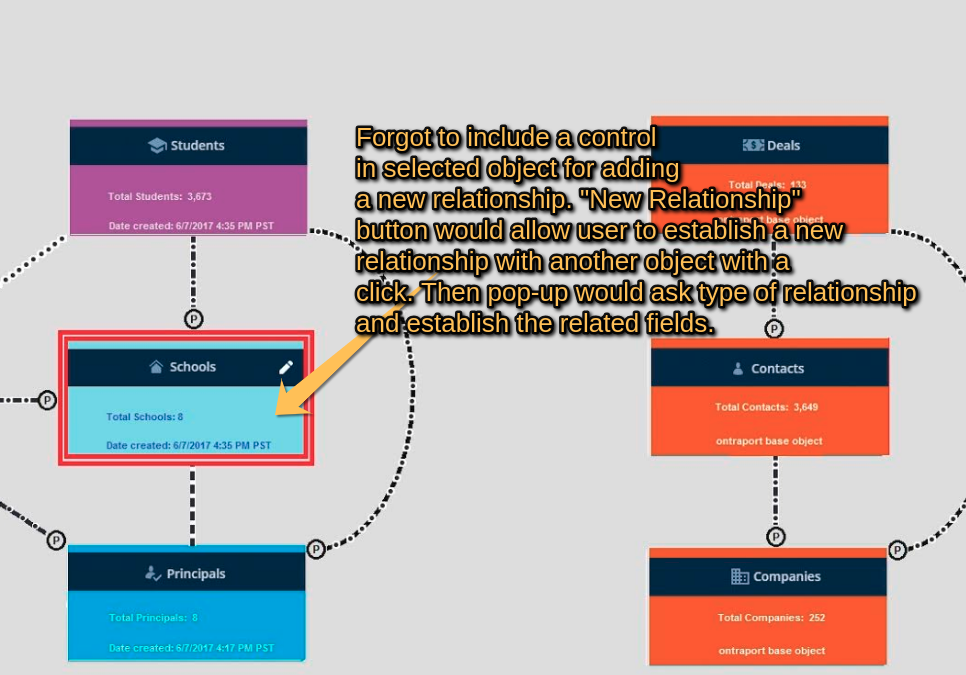
To create a new relationship between objects simply right click an object (select Create Relationship from the list of actions, pick a type) and drag the line that appears to the other object (similar to how the Go To works in Campaign Builder) The Grid snaps all the lines together so they look pretty and then the user finishes the relationship by filling in the remaining required information based upon the relationship type and objects connected (which fields are connected, field names etc)
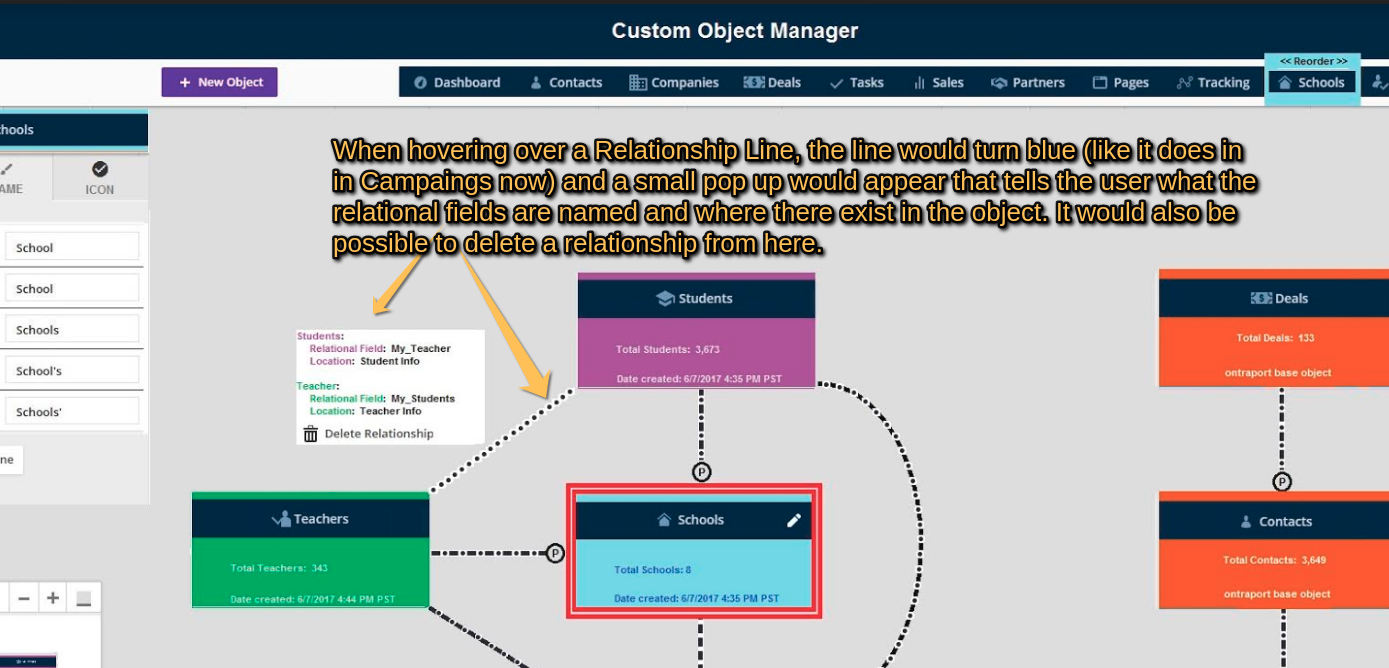
To edit a relationship simple click the "Relationship Line" that connects the two objects and a relationship editor dialog would appear.
Hovering over a relationship line would give the basic info....name, type, fields associated etc.
To create a new object, click the "New Object" button, give it some names, give it some fields and (steps 1 and two 2 of the current New Object creation process) and it appears on the Custom Object Builder map as a valid object. Start making relationships as needed.
Here are some mock up images:
Please sign in to leave a comment.