Post

3 followers Follow
2
Avatar

A proper login / logout element for Membership sites

Angela C1M

Or some way to create that functionality.

I've tried all sorts of combinations of display options utilising multiple header blocks, in an attempt to create a nav bar that has 'Login' for anyone that isn't logged in, & 'Logout' along with other links for people that are logged in, but always have issues of them not displaying anything or displaying several, depending on whether someone is identified or not.

As there is a password protected functionality, having an 'official' nav login / logout element to drop into the header seems necessary.

Official comment

Avatar

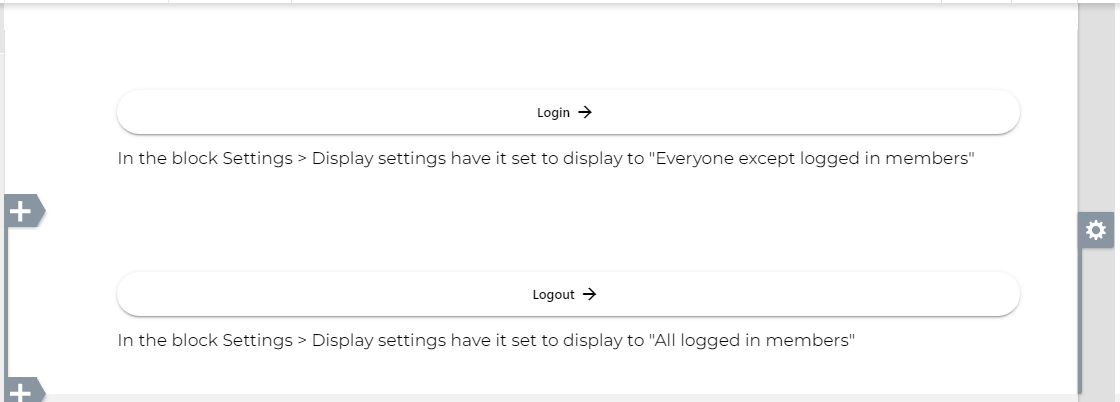
We have added a new display condition for blocks that will display to "Everyone except logged in members". Add a button to the block that links to the login page. Only people who are not logged in will see it.

You can create a companion button in a block below it that will display only to logged in members, and use a log out button as described below.
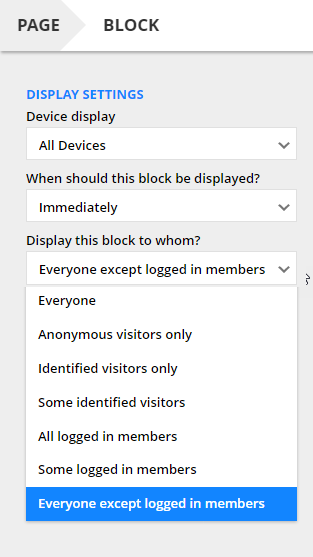
The display conditions are in the block editor > Settings > Display settings:
Frank Hagan
Comment actions Permalink

Please to leave a comment.

5 comments

0
Avatar

You can create a logout link, but the option is somewhat hidden until you are working on a published membership page. Here's how to do it:

  1. Create a page that is part of your membership site (published to the same domain). You can also edit an existing membership page you have added earlier. This page must be published. 
  2. Edit the page and add a button or link for "Log Out".
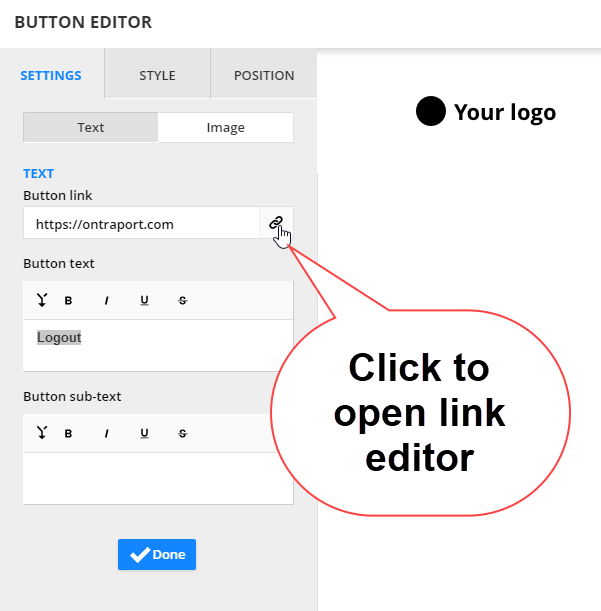
  3. Open the link editor by clicking on the link icon:

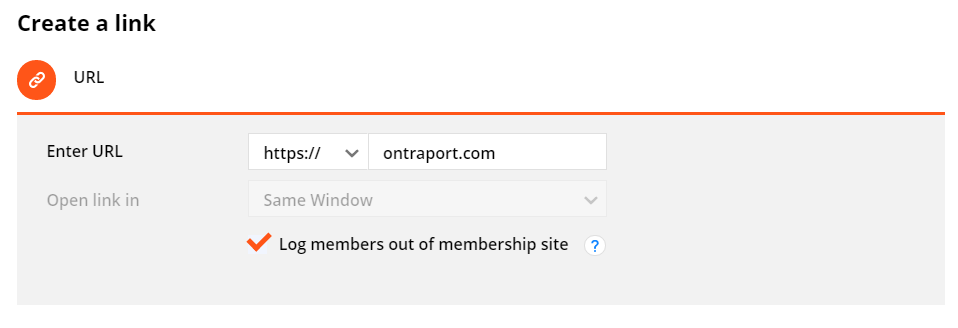
  4. Note that the URL box in the URL option now contains a new checkbox for "Log members out of membership site". The option to select an Ontraport Landing Page also contains the checkbox now.

  5. Check the checkbox and save, then publish the page.
  6. The button or link will log the member out when they click it. 

We will keep this feature request open for the idea of adding dedicated login / logout buttons, or a single button that changes based on the logged in status of the visitor to the page. 

Frank Hagan 0 votes
Comment actions Permalink
0
Avatar

Thank you for your comment.

Whilst this is a way to add a logout button to the site, which I am using, having a login / logout element that displays login if a user is not logged in, & logout if they are, whilst covering the functionality of logging in & out when clicked, is what I feel is missing.

With the current setup, if a logged in member visits a page that is not restricted to logged in members only (of which we have a few), they see 'Login' in the nav bar. I've tried every combination of display settings whilst having multiple header blocks to cover all eventualities, but whatever I try there are always pages that display 2 headers, or no headers, because of gaps in the display options.

Unless there is another workaround for this that I'm missing, obviously. But being able to assign a header (& footer) to an entire membership site, with navigation options that change depending on whether the user is signed in or not, seems like something that is missing?


Angela C1M 0 votes
Comment actions Permalink
2
Avatar

Yes, we like this idea very much, and I have submitted it as a proposal! I especially like your idea of a button or link that automatically senses the logged in state and displays the opposite, which would be extremely handy in a header on a membership site. I'll update this feature request if the proposal is accepted and we have an ETA on it. 

Frank Hagan 2 votes
Comment actions Permalink