For anyone finding this that also didn't realize, turns out you can edit all Emails under Contacts > Messages!
The view on that page is great and solves most of what I was talking about above. What it doesn't seem to show, is which emails are UNUSED and which ones are currently ACTIVE in Campaigns (with a link to those campaigns).
Post
FollowAbility to remove unused/unwanted emails from Campaigns.
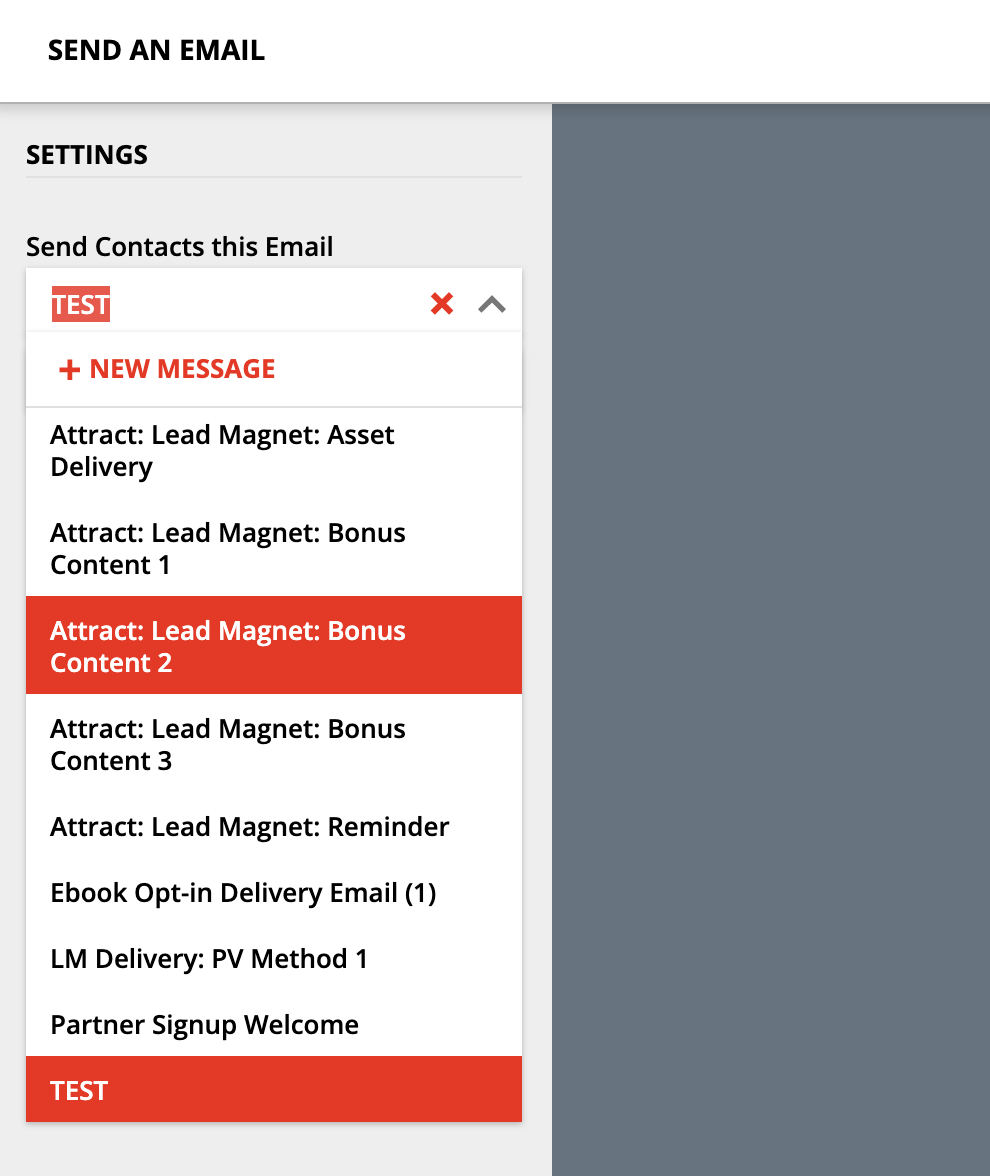
Currently, there is no way to delete unused/unwanted emails from the list within Campaigns (Screenshot below).
As a result, the Email selector shows every email created within the account, including unused/legacy emails imported from various Campaign workflows, older test emails & versions etc. with no way to remove them.
Possible solution: ActiveCampaign handles this nicely with an "Email List" you can access to view all emails within a Campaign (or Account, in this case). This view allows you to easily manage/delete emails.
A simple implementation to prevent 'active/in-use' emails from being deleted, could just be a view that shows unused emails account-wide and allows them to be deleted.
[Screenshot of Email selector in Campaign view:]

Please sign in to leave a comment.