Sure you can.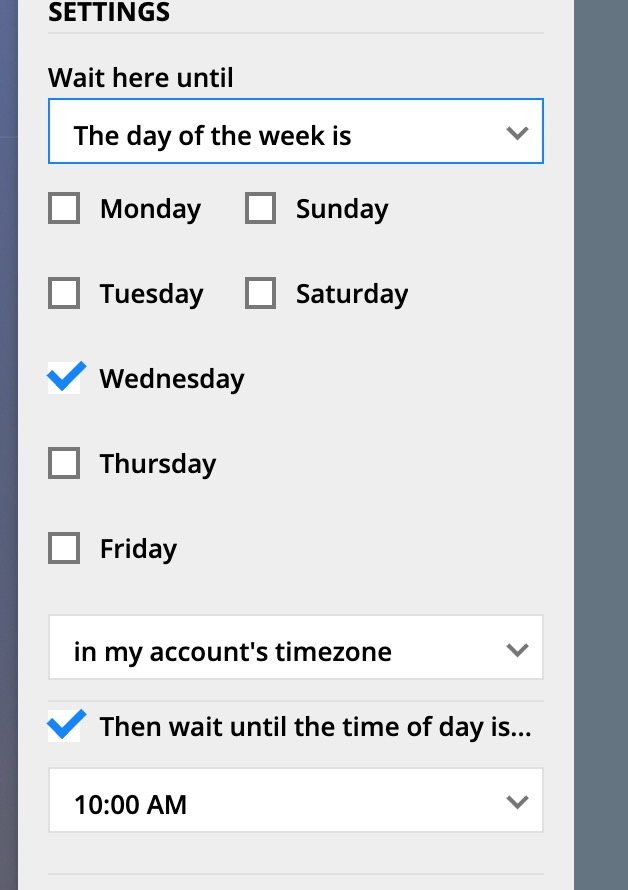


Comment actions

I’m not sure what the exact term is, but I want to create a delay of 2 days and then trigger an action at a specific time — for example, at 9am.
So if a contact completes a goal on Monday, the task should be scheduled for Wednesday at 9am (i.e., exactly 2 days later at 9am).
Right now, the wait element doesn’t support this natively. If a contact completes the goal on Monday at 5pm, the system waits until 5pm Wednesday, and then waits again for the next 9am — meaning the task is scheduled for Thursday at 9am instead of Wednesday.
To illustrate: if a sales rep tells a lead “I’ll call you in 2 days at 9am,” the expectation is clearly this Wednesday at 9am — not 48 hours later and then the next available 9am. But that’s how the system currently behaves.
Please sign in to leave a comment.
Sure you can.
You got the question wrong, Landon.
It is in X days and at Y am/pm not specifically Wednesday.
So if the task complete on Wednesday. I want to trigger it on Friday 9am (in 2 days at 9am)
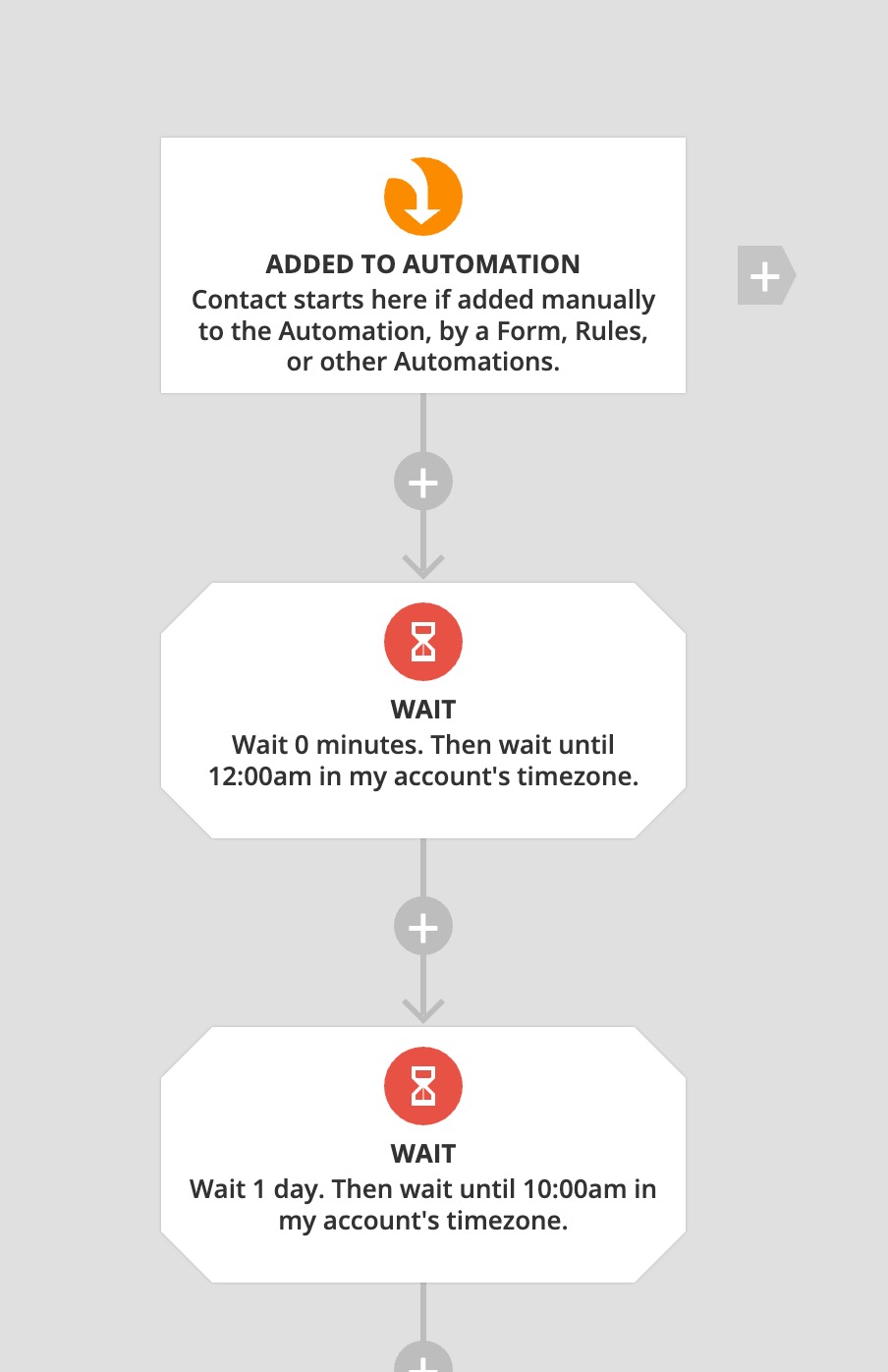
Oh, then use 2 waits: