
Hey Chris,
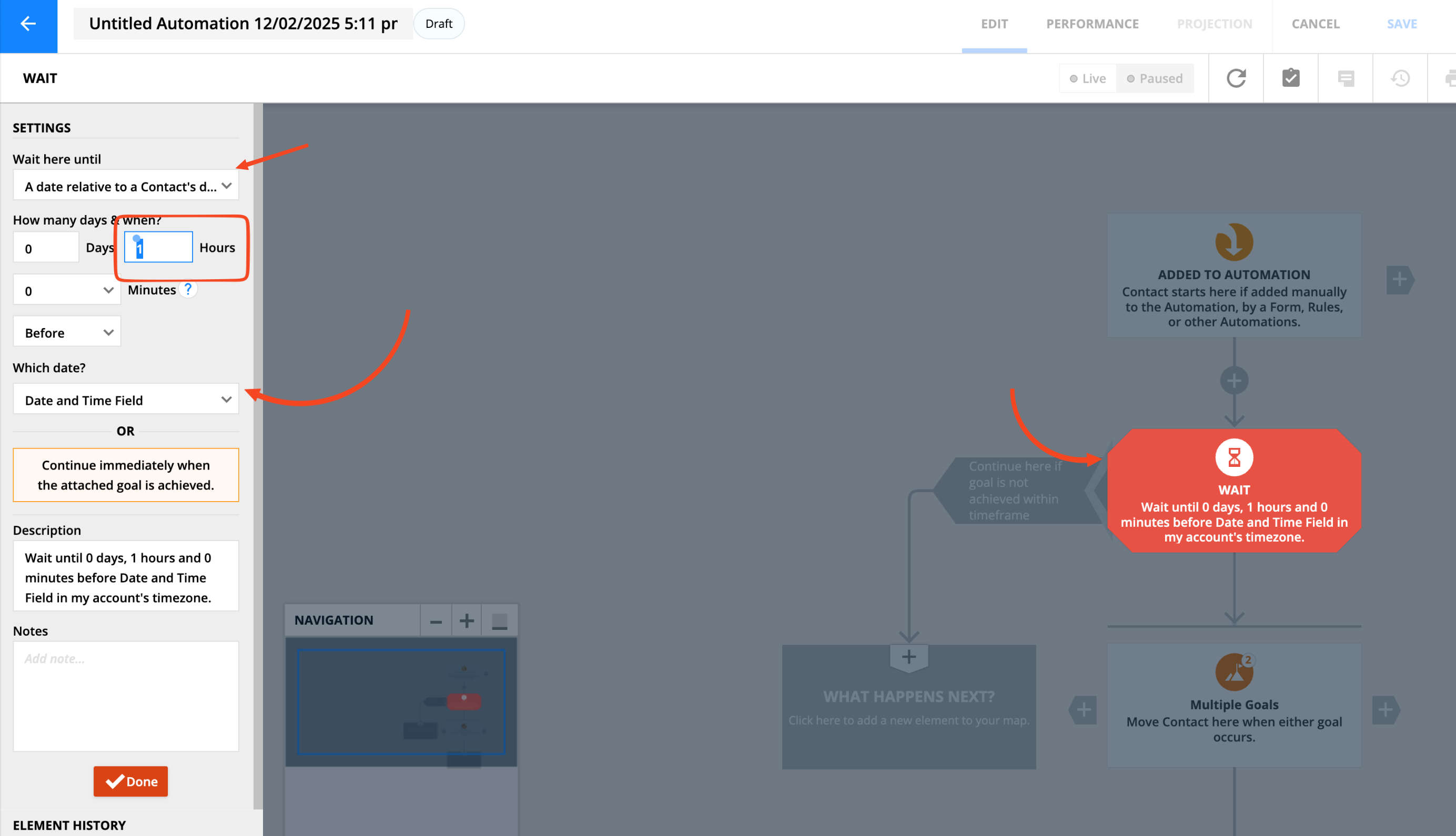
You can already do this using a wait element. Set the wait condition to 'A date relative to a contact's date', choose your date and time field, select 'Before', then set the hours.


Comment actions

In an automation condition element, when the "Now is before, during or after a day, date or time" is selected, the customer would like the ability to select "Now is 1 hour before [Date & Time Field]". Currently, the only options are "Before, During or After".
Screenshot here: https://share.ontrapedia.com/p9umKDOJ
Please sign in to leave a comment.
Hey Chris,
You can already do this using a wait element. Set the wait condition to 'A date relative to a contact's date', choose your date and time field, select 'Before', then set the hours.