Official comment

We have a much easier solution for you built in!
You can use the "hosted email link" merge field to have the person view the email in a browser. It creates the page for you, customized to that individual recipient. You will find the merge field at the very bottom when you click the merge field icon: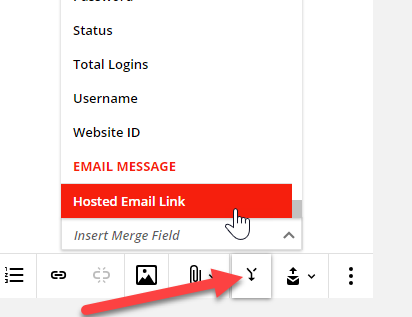
Or you can insert it manually by typing: [Hosted_Email_Link].This inserts the "raw link" that will look something like https://your-subdomain.ontraport.com/e/1ly/ps/B/weoslasls (the actual link will be unique to each recipient).
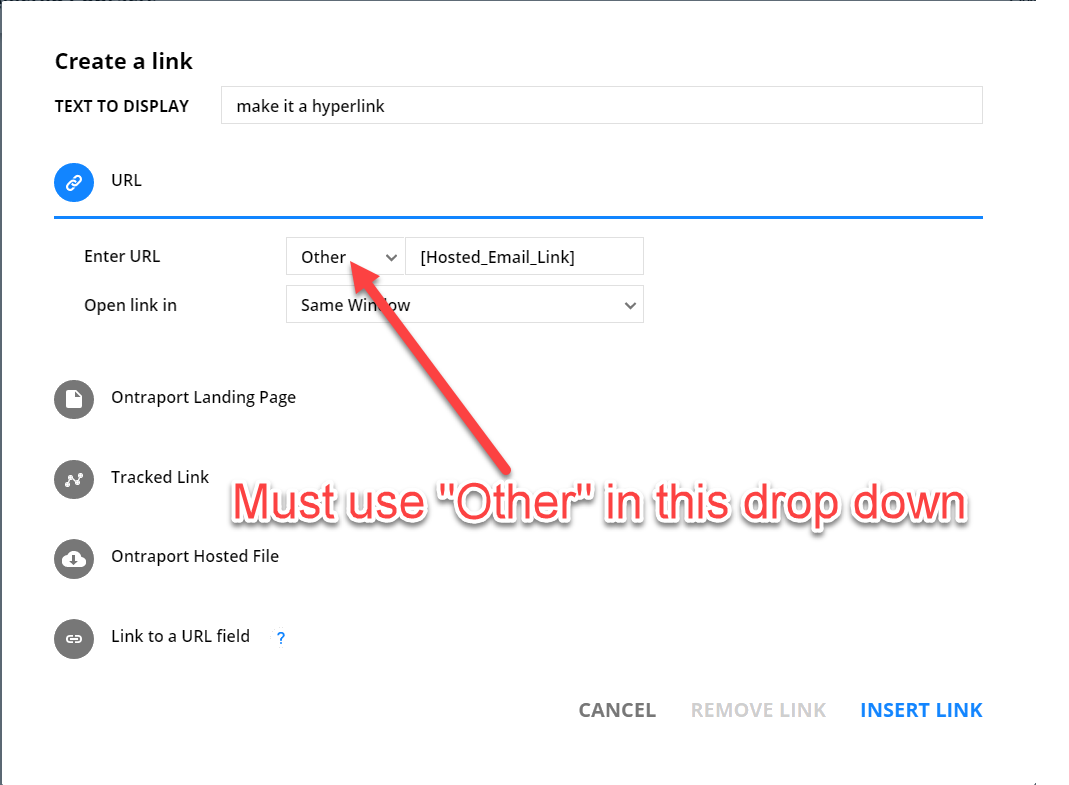
If you want to hyperlink your own words, like having "View on web" in a sentence linked to the built in page, highlight the words and click the link icon. In the link dialog, select the URL option, and change the protocol to "Other" as shown in the photo. Then type in the merge field [Hosted_Email_Link].