Official comment

We did add the ability to add your own logo to the Administration > Business Info > Business Information area. This logo will be used on the unsubscribe page.
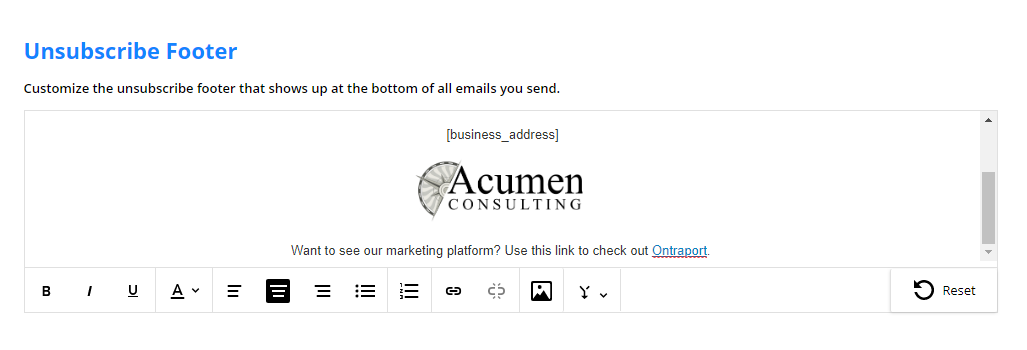
In addition, uou can now edit your Unsubscribe Footer by visiting Administration > Business Info. Select the "Unsubscribe Footer" option to create your own wording and remove and/or replace the Ontraport logo in the email footers.
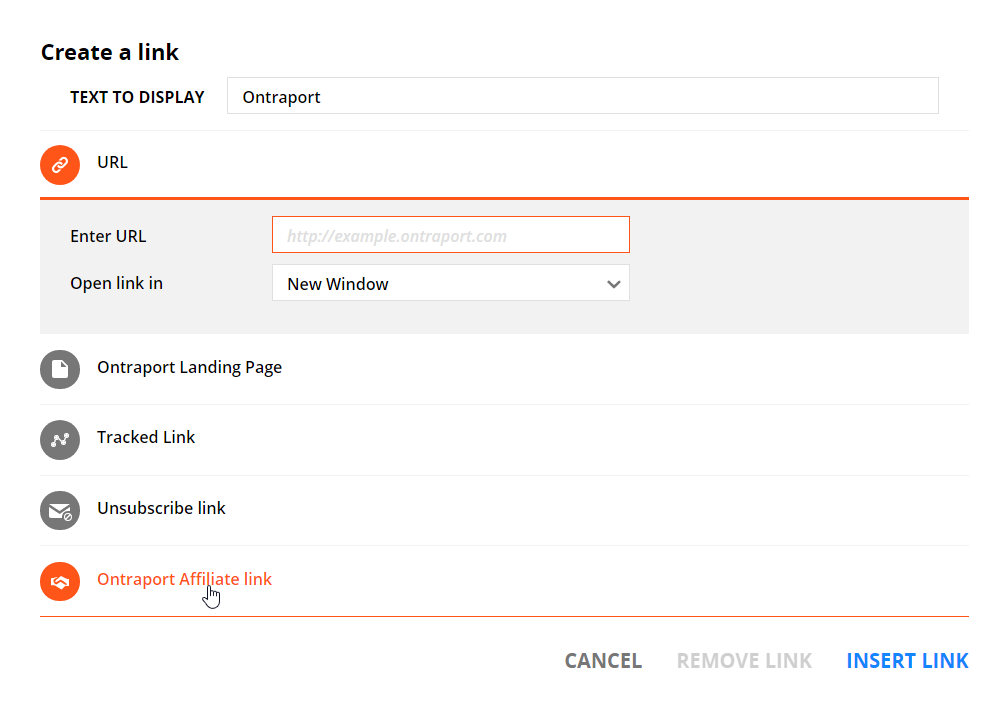
The Ontraport logo is also your affiliate / partner link, providing a 25% commission per month for any new customers you send our way. You can still include this link after removing the logo by using the link dialog box. It includes both the Unsubscribe Link and the Ontraport Affiliate link.
The unsubscribe footer editor:
Here is the link dialog box that pops up when you highlight text and click the link icon. Note the two additions, the Unsubscribe Link and Ontraport Affiliate link. You can create your own unsubscribe text such as "Unsubscribe", "Opt Out" or "Remove me from your mailing list" by highlighting the text, clicking the link icon and selecting the "Unsubscribe Link".