
Official comment

Try this:
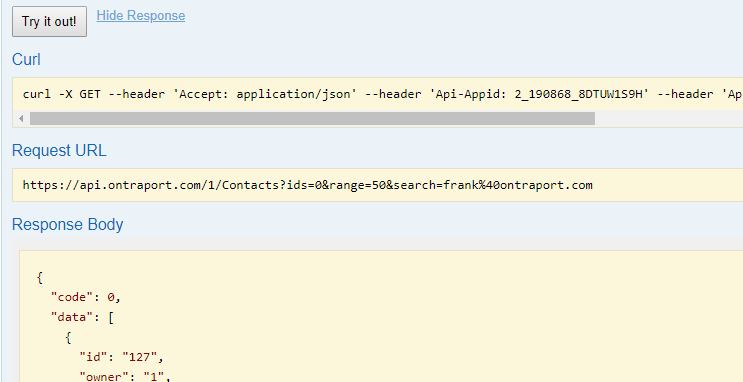
https://api.ontraport.com/1/Contacts?ids=0&range=50&search=someone%40domain.com
That should return a response body like this:
{
"code": 0,
"data": [
{ "id": "127",
"owner": "1",
"firstname": "Frank",
"lastname": "Hagan",
"email": "someone@domain.com",
etc .....
You can test this out at our Live doc at https://api.ontraport.com/live/#!/Contacts/getContacts.
Put a valid API Key and App ID at the top of the page then use "0" for the ID and set the "Search" to "someone@domain.com" as shown here with my email address:
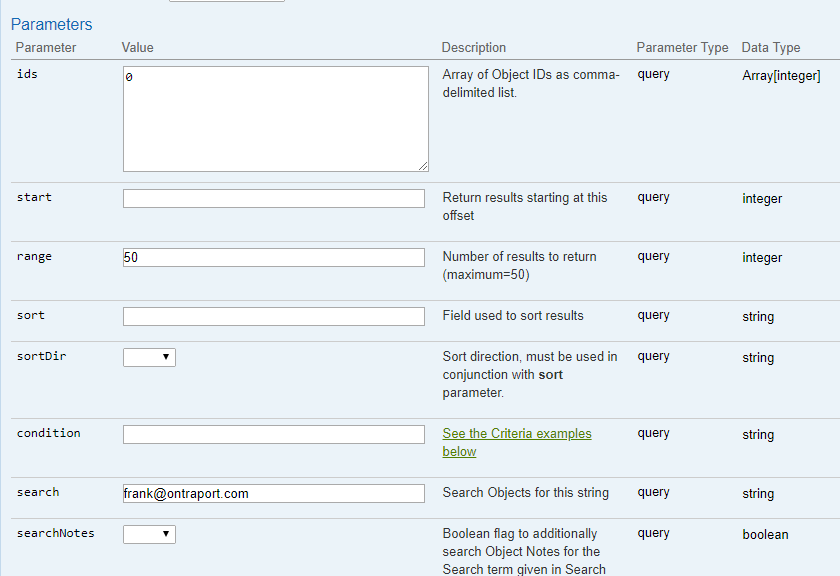
Click the "Try it out!" button and you'll see the Request URL that is built for you and the response body.


Comment actions