
Post

2 followers Follow
1
Avatar

Subscription Management

Todd Fields

Submitted on behalf of Ben Halliburton

When subscriber goes to page. The status of all will show up

They can click them on or off. When one button per line is clicked on the other clicks off

This will allow subscriber to manage what they get very easily in one place.

If they click on unsubscribe from all, all boxes will revert to unsubscribed and be checked

---

Example: 

Unsubscribe page


List all subscriptions


Subscribed Unsubscribed


Subscription 1 X

Subscription 2 X

Subscription 3 X

Subscription 4 X

Subscription 5 X

Subscription 6 X

Subscription 7 X

Subscription etc. X


Unsubscribe from all

---


Thanks for your help

Ben


Benjamin C. Halliburton, CFA

Answered

Official comment

Avatar

You can do this with Automations now. We only show people what they are subscribed to. Here's an example of what it looks like:
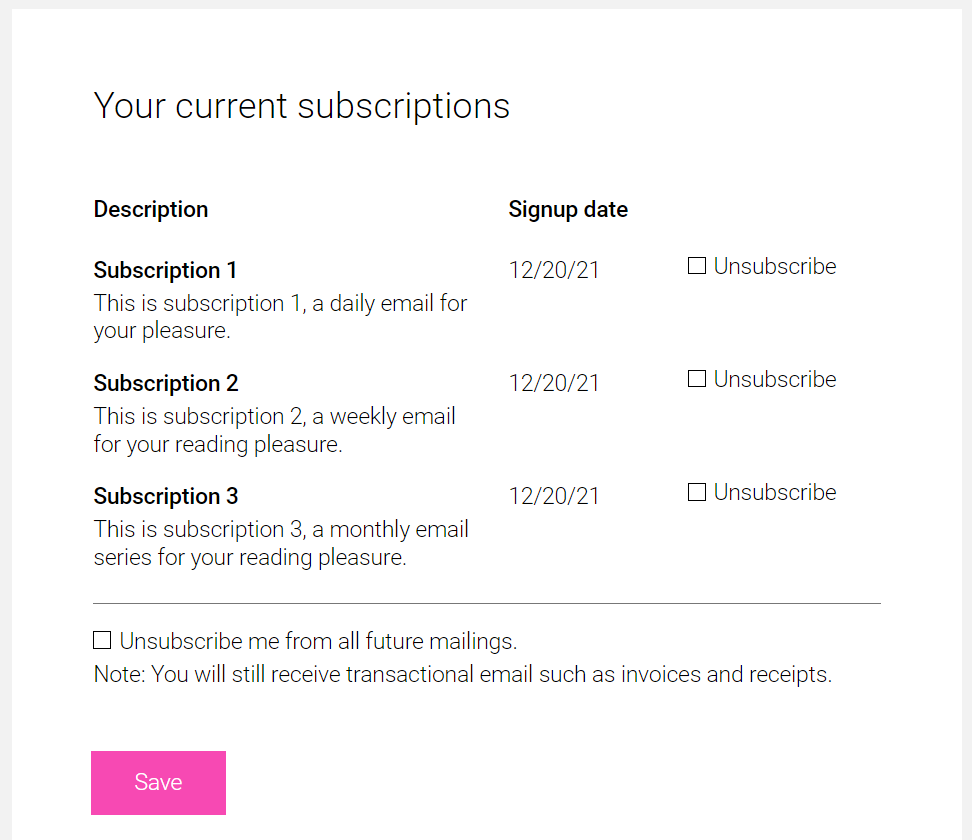
This contact was subscribed to "Subscription 1", "Subscription 2" and "Subscription 3". We only show what the individual contact is subscribed to. 

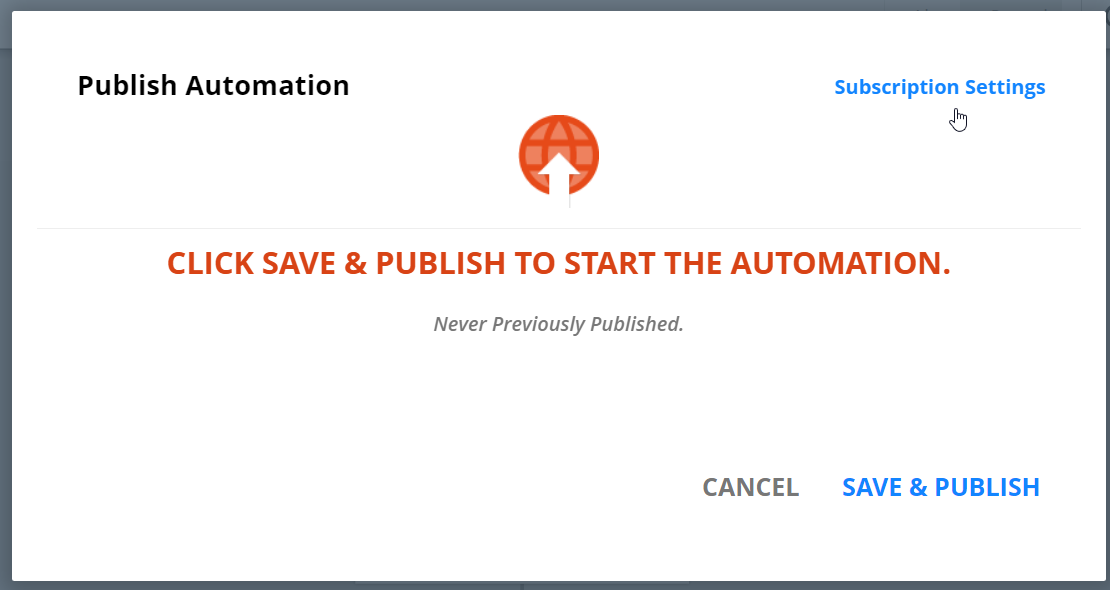
Here's how to set it up. In the Automation, click the Publish button, then the "Subscription Settings" link:
On the next dialog, you can specify that the Automation appears on the unsubscribe page, and if it does, what the public name and description should be. 
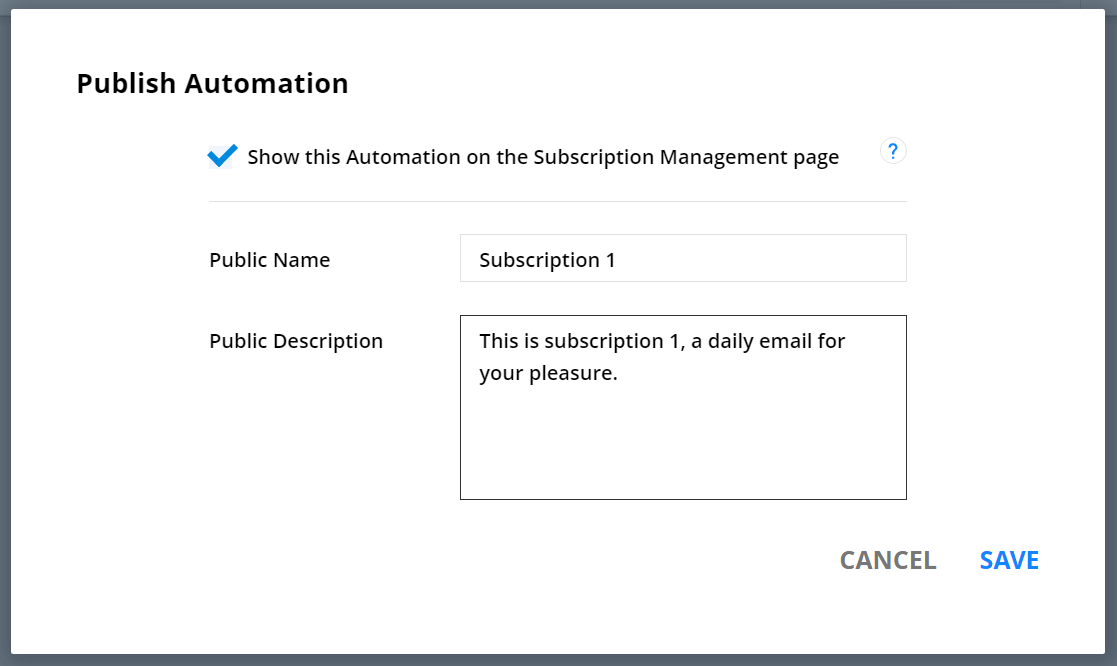
Save, then finish publishing your Automation. 

Any contact who is subscribed to an Automation will see the public name and description of it, and have the opportunity to unsub from them or from "All". 

Frank Hagan
Comment actions Permalink

Please to leave a comment.

1 comment